What Is AI Image to Video? Start Frames, Motion Prompts and a Source-Image Checklist for Ads (2026)

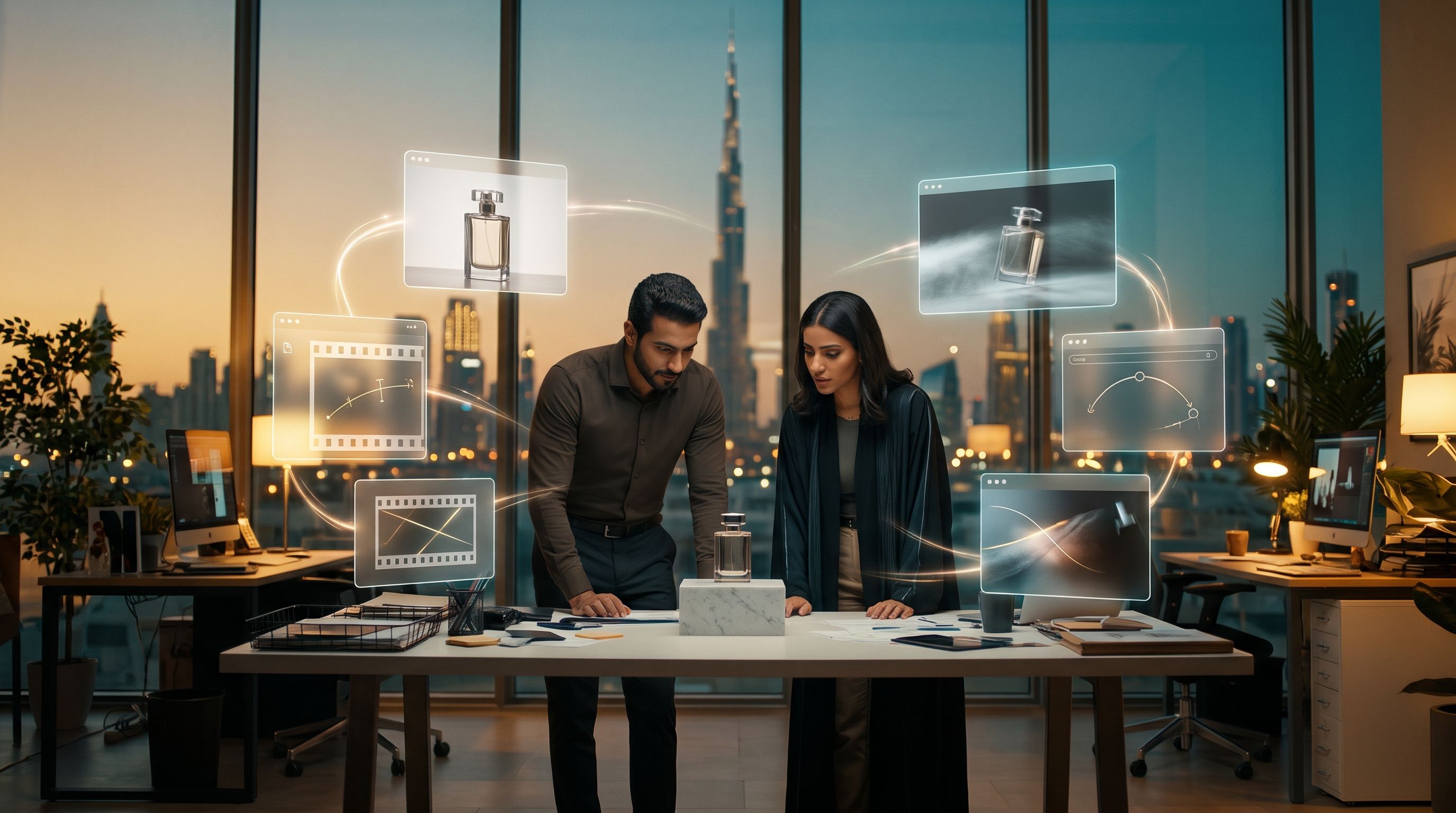
AI image to video is a way of making a short video clip from a single still image. You give a video model one picture as the first frame, add a short text instruction about what should move and how the camera should travel, and the model generates brand-new frames that continue from your picture. The result is usually a clip of a few seconds that keeps the look, light and subject of the original image.
So when people ask what AI image to video is, the plain answer is this: it is animation by prediction, not by keyframes. This guide explains how it works, how it differs from text-to-video and from a simple pan-and-zoom on a photo, where it earns its place in ads, where it still fails, and how to brief it well. You also get a source-image checklist and a motion prompt template you can copy.
In this guide
- What AI image to video means
- How AI image to video works
- Image to video vs text to video vs pan and zoom
- Where image to video works in ads
- Where AI image to video fails, and how we fix it
- A source-image checklist that predicts good results
- A motion prompt template you can copy
- From clip to finished ad: how we use it
- Frequently Asked Questions
- Turn your stills into ads that move
What AI image to video means
Think of your still image as frame one of a film that has not been shot yet. An image-to-video model has learned, from a huge amount of footage, how the world tends to change from one moment to the next: how fabric swings, how steam rises, how light slides across glass when a camera moves. It looks at your frame and predicts what frame two, three and three hundred should look like.
That is very different from moving a photo around inside an edit. Nothing in the original image is cut out or warped by hand. Every frame after the first is new, generated pixel by pixel, and the model tries to keep it consistent with what came before.
Three things go in:
- A start frame. A photo, a product render, a 3D visualization or an AI-generated still.
- A motion prompt. One or two sentences describing what moves, how the camera moves, and the mood.
- Settings. Usually aspect ratio, clip length, and sometimes an end frame or a strength control.
One thing comes out: a short clip, often somewhere between 5 and 10 seconds per generation depending on the model. Longer pieces are built by chaining or extending clips, which we cover in our guide on how to make AI videos longer without the story falling apart.
You will see the same idea sold under many names: photo to video, animate image, image-to-video AI, still to motion. Most current video models, including Veo, Sora, Runway and Kling, offer an image input alongside plain text prompts. The names differ. The principle is the same.
How AI image to video works
You do not need to know the math behind it to brief image-to-video well. You do need to understand the four controls that shape every result.
The start frame
The start frame does most of the work. It fixes the composition, the subject, the colors, the lighting and the style before a single frame of motion exists. The model reads it for subject, depth, edges and light direction, and then tries not to break any of them.
This is why image-to-video is usually more controllable than text-to-video. You can spend an hour getting the still exactly right, with fast and cheap image iterations, and only then spend time on motion. If the still is wrong, no motion prompt will rescue it.
The motion prompt
The motion prompt should describe change, not the scene. The model can already see your image. Repeating "a luxury perfume bottle on marble, golden light" tells it nothing new. Telling it "a slow push-in, light sweeps across the glass from left to right, a faint mist drifts behind the bottle" gives it a job.
A good motion prompt covers three layers:
- Subject motion: what the main subject does, if anything.
- Camera motion: one named camera move, or a locked-off camera.
- Secondary motion: small background movement such as mist, water, leaves, a passing car, a curtain.
Keep it short. In our experience, the longer and more crowded the motion prompt, the more the model improvises, and improvisation is exactly what a brand does not want.
Camera moves
Camera language is the single most useful vocabulary for image-to-video. Models respond well to the same terms a director of photography would use:
- Push-in / pull-out: the camera travels toward or away from the subject.
- Orbit: the camera circles the subject, revealing its sides.
- Pan / tilt: the camera turns left and right or up and down from a fixed point.
- Truck / dolly sideways: the camera slides past the subject, creating parallax.
- Crane / pedestal: the camera rises or drops.
- Static: the camera holds still and only the scene moves.
One move per clip looks intentional. Two can work if they are slow. Three almost always looks like an accident. Orbits are the riskiest move for products, because the model must invent the sides of the object it has never seen.
Start and end frames
Many models also let you give an end frame. The model then generates the motion that gets from picture A to picture B. This is powerful for ads, because you control both where the shot starts and where it lands: a closed box that ends open, a bare room that ends furnished, a product that ends on its pack shot.
The catch is that the two frames must be plausible neighbours. If the lighting, lens or camera position jumps too far between them, the model fills the gap with a morph that looks like melting rather than motion.
Image to video vs text to video vs pan and zoom
People often mix up three different things: generative image-to-video, text-to-video, and the classic move where an editor slowly pans and zooms across a still photo (sometimes with a 2.5D parallax effect that separates foreground and background layers). The table below compares the three on what each one controls and where each one fits.
The practical rule we use: if the frame must stay pixel-accurate, animate it with motion design rather than generation. If the frame can tolerate small reinterpretation and you want real movement, use image-to-video. If there is no fixed subject at all, text-to-video is often faster. Our motion graphics and CGI team handles the pixel-accurate side when a brand's legal or packaging rules leave no room for drift.
Text-to-video and image-to-video also work well together. A common pattern is to generate or design the perfect still first, then animate it, rather than asking one text prompt to invent the scene and the motion at the same time. Our Veo guide for marketers shows how that two-step pattern looks inside one model's workflow.
Where image to video works in ads
Image-to-video shines when a brand already has good stills and needs motion fast, in many versions, without a new shoot. Here is how the main ad shot types compare on the motion that suits them and the risk to watch.
Product shots
A clean product photo is one of the best start frames there is. One subject, controlled light, a simple background. A slow push-in with a light sweep across the glass turns a static ecommerce image into a 6-second ad opener. Perfume, skincare, watches, coffee and electronics all work well.
The rule is to keep the product still and move everything else. Let the camera travel, let mist drift, let water ripple, let a shadow pass. Ask the product itself to spin or open and you invite the model to redraw it. Our step-by-step guide on turning a product photo into a tested video ad walks through that workflow from photo to test.
This approach has real commercial weight. In our skincare brand launch for the UAE and GCC, we built the store and the product photography first, then made dozens of ads. One AI-made, creator-style video drove about two in three of the brand's first hundred-plus orders. That video was not a simple product animation, but it shows why strong source imagery comes before any AI motion.
Property stills and renders
Dubai and Abu Dhabi developers sit on huge libraries of renders and photos for off-plan projects that do not exist yet. Image-to-video turns those stills into motion: a slow truck past floor-to-ceiling windows, clouds moving over a Downtown skyline, a gentle crane up a tower facade at golden hour.
Straight lines are the thing to watch. Models can bend door frames, window mullions and pool edges as the camera moves. Short, slow moves keep geometry intact. For more on how we approach the sector, see our page on real estate video ads in Dubai.
Stills can also become people. For a Dubai property broker selling to UK buyers, we made short AI presenter videos built from stills of the broker's own camera footage and a clone of her voice. Most of the effort went into small details: the room, the clothes, the hands and the match between voice and lips. In its first few days, her best video brought leads at under half the account's average cost per lead. That is a small sample, and the page itself treats it as a good sign rather than proof.
Campaign key visuals
Most campaigns start with a key visual: the hero image that runs on billboards along Sheikh Zayed Road, in malls and across paid social. Image-to-video lets you extend that same image into motion so the video ads match the outdoor campaign exactly.
Typical moves are subtle: hair and fabric moving in a breeze, background crowd life, a slow push toward the model's face, light changing across the scene. Pair these with the design direction in our sibling guide to ad design trends for 2026 and the motion clip and the static campaign feel like one idea.
Where AI image to video fails, and how we fix it
Image-to-video is impressive, but it still fails in predictable ways. Knowing them in advance saves hours of regenerating. The table below lists the failures we see most often, why they happen, and the fix we reach for first.
Hands
Hands are still the most common giveaway. Fingers merge, multiply or bend at odd angles when they move, especially when they grip a product. If the start frame shows a hand holding a bottle, ask for no hand movement at all, or crop the frame so the hand sits outside it. If the shot needs a real hand action, film it.
Text, labels and logos
This is the failure that matters most for advertisers. A video model does not read your label. It sees shapes and tries to keep them plausible, so as the camera moves, letters soften, rearrange or turn into convincing nonsense. Arabic script, with its connected letterforms, is especially easy to break.
Our fix is simple: never trust generated text. We keep labels as still as possible during generation and then track the real logo, pack copy, prices or legal lines back on in the edit. Any on-screen text in the final ad comes from the designer, not the model.
Product drift
Product drift is when the item slowly changes as the clip plays: a cap gets taller, a bottle's shoulder curves differently, a watch face loses a sub-dial, a color shifts by a shade. Each frame looks fine on its own, so drift is easy to miss until you compare the last frame with the first.
The causes are rotation and duration. The more of the product the camera reveals that was not in the start frame, the more the model must invent. We use short clips, slow moves, no spins, and a side-by-side check of first and last frames before anything goes to the client. For a broader look at where AI tools help and hurt in post, our guide to what AI video editing can and can't do is a good companion read.
Faces, physics and long clips
Faces drift in the same way products do: a slightly different jaw, eyes or smile by the end of the clip. Liquids pour in ways that look almost right. Long clips compound every small error. The general fix for all three is the same: shorter clips, gentler motion, and cuts between clips rather than one long continuous take.
A source-image checklist that predicts good results
Most bad image-to-video clips are decided before you press generate. We run every start frame through a short checklist, and the table below lists each check, what a pass looks like, and why it matters.
A few notes the table cannot hold:
- Choose the ratio first. Decide whether the clip is for 9:16 vertical feeds (Reels, TikTok, Shorts), 4:5 feed placements or 16:9 YouTube, and prepare the still in that ratio. Expanding a frame later means the model has to invent the new edges.
- Leave margin. If you plan a push-in, the subject can fill the frame. If you plan a truck or a pull-out, give it space at the sides.
- Clean before you animate. Remove dust, stray reflections and background clutter in the still. A blemish in frame one can grow as the clip plays.
- Check rights. Only animate images you own or have licensed for this use, and get consent for any recognizable person.
A motion prompt template you can copy
Here is the motion prompt template we start from. Fill each slot with a short phrase, and leave out any slot you do not need. The order matters less than keeping each part brief.
- Camera: one move, its speed and its direction. Example: "slow push-in".
- Subject: what the main subject does, or "the product stays still".
- Secondary motion: one or two small background movements.
- Light: how the light changes, if at all.
- Mood and pace: calm, energetic, luxurious, playful.
- Guardrails: what must not change. Example: "the bottle shape and label stay unchanged, no new objects appear".
Put together, the template reads: [camera move], [subject action], [secondary motion], [light change], [mood], [guardrails].
Filled-in examples
Perfume hero shot, 9:16: "Slow push-in toward the bottle. The bottle stays still. Soft mist drifts behind it and a warm light sweeps across the glass from left to right. Calm, luxurious pace. The bottle shape and label stay unchanged and no new objects appear."
Dubai apartment render, 16:9: "Smooth truck to the right past the floor-to-ceiling windows. Clouds move slowly over the skyline outside and sheer curtains sway slightly. Late afternoon light. Calm, premium pace. Walls, windows and furniture keep straight lines and stay in place."
Fashion key visual, 4:5: "Static camera. The model turns her head slightly toward the camera and her scarf moves in a light breeze. Background stays soft. Gentle, confident mood. Her face, outfit and hands stay unchanged."
Notice what is missing: no description of the scene, no list of style words, no "4K, cinematic, award-winning". The still already carries the look. Guardrails are worth adding, but treat them as a nudge. Models do not obey negative instructions perfectly, which is why the review step below still matters.
From clip to finished ad: how we use it
A generated clip is raw material, not an ad. On most AI video ad projects we pair the model with a human creative team at every stage. Here is the order we follow:
- Brief the shot, not the tool. Decide the hook, the placement and what the clip must prove before picking a model.
- Prepare the start frame. Use the checklist above, in the final aspect ratio, with the approved product.
- Generate in small batches. Run several takes of each prompt and compare them, rather than chasing one perfect take.
- Review frame by frame. Check first against last frame for drift, then hands, faces, text and straight lines.
- Finish in the edit. Trim, grade, add real logos and copy, sound, music and voiceover, then cut versions for each placement.
- Approve and disclose. Get brand sign-off on product accuracy, then follow each platform's labeling rules for AI content.
- Test and iterate. Launch several variants, keep what wins, and feed what you learn into the next batch of stills.
Disclosure and platform rules
Platforms are tightening rules on realistic synthetic media. YouTube, for example, requires creators to disclose realistic AI-generated or altered content when viewers could mistake it for real footage. TikTok publishes its own guidance on labeling AI-generated content. Check the current rules for every platform you run on, because they change.
For brands in the UAE, accuracy matters as much as labeling. An animated product must still look like the product a customer will receive, and an animated property render must not suggest views, finishes or amenities that the real unit will not have. We treat "does this frame still match reality?" as a sign-off question, not an afterthought.
What drives cost and time
We don't publish prices, because every project is scoped differently. What we can tell you is what moves the effort up or down:
- Start frames. Ready, approved, high-resolution stills save the most time. Creating or retouching stills adds a stage.
- Motion complexity. A slow push-in on a bottle is quick. A shot with people, hands, liquids or rotation needs more takes and more review.
- Accuracy rules. Strict packaging, legal or developer approval rules add tracking, compositing and review time.
- Versions. Each extra aspect ratio, language or hook adds edit time, though far less than a reshoot would.
- Finishing. Voiceover, Arabic and English versions, music, sound design and supers all sit on top of generation.
Frequently Asked Questions
What is AI image to video in simple terms?
AI image to video turns one still picture into a short video clip. You upload the image as the first frame and write a short instruction about what should move and how the camera should travel. The model then predicts and generates new frames that continue from your picture, keeping its look, light and subject. The output is usually a clip of a few seconds that you can extend, edit and finish into an ad.
How is image to video different from text to video?
Text-to-video creates the whole scene from words, so the model invents the composition, the subject and the motion together. Image-to-video starts from a picture you provide, so the composition and subject are fixed before any motion is added. That makes image-to-video more controllable for brands that need a specific product, person or location to appear, while text-to-video is often faster for concepts and mood shots with no fixed subject.
Is AI image to video the same as a pan and zoom on a photo?
No. A pan and zoom moves a frame across a still photo, so every pixel stays exactly as it was and nothing in the scene actually moves. AI image to video generates new frames, so fabric can sway, light can shift and the camera can reveal depth. The trade-off is accuracy: pan and zoom never changes your product or text, while generation can alter details and needs careful review.
Why does AI image to video struggle with hands and text?
Video models predict shapes and motion learned from footage, not the meaning of what they draw. Fingers overlap and change position quickly, so they merge or multiply in motion. Letters are treated as shapes too, so labels, logos and Arabic script soften or rewrite as the camera moves. The reliable fix is to keep hands and text still or out of frame during generation, then add real text in the edit.
How long can an AI image to video clip be?
Most models generate a few seconds per clip, often in the range of 5 to 10 seconds, and the exact limit depends on the model and settings you use. Longer videos are built by extending a clip from its last frame or by cutting several short clips together. For ads, short clips usually work better anyway, because product and face drift build up the longer a single generated take runs.
Can I use AI image to video for real estate ads in Dubai?
Yes, and it suits the sector well. Developers and brokers often have renders and photos of off-plan projects, and image-to-video can add slow camera moves, moving skies and light changes to them. Keep the moves short and slow so walls and windows stay straight, and make sure the animated scene never suggests views, finishes or amenities the real property will not have.
Turn your stills into ads that move
Image to video is at its best when strong stills meet a clear brief and a team that knows where the model will slip. If you have product shots, property renders or a campaign key visual and want to see them working as video ads on Reels, TikTok and YouTube, we can help you choose which shots to animate, which to film and which to leave to motion design.
Book a call with our team to get a quote for your next image-to-video project, and we will come back with a shot plan, timings and the formats your campaign needs.