Motion Design Ideas: 30 Animated Concepts for Ads, Products, Logos, Data and GCC Seasons (2026)

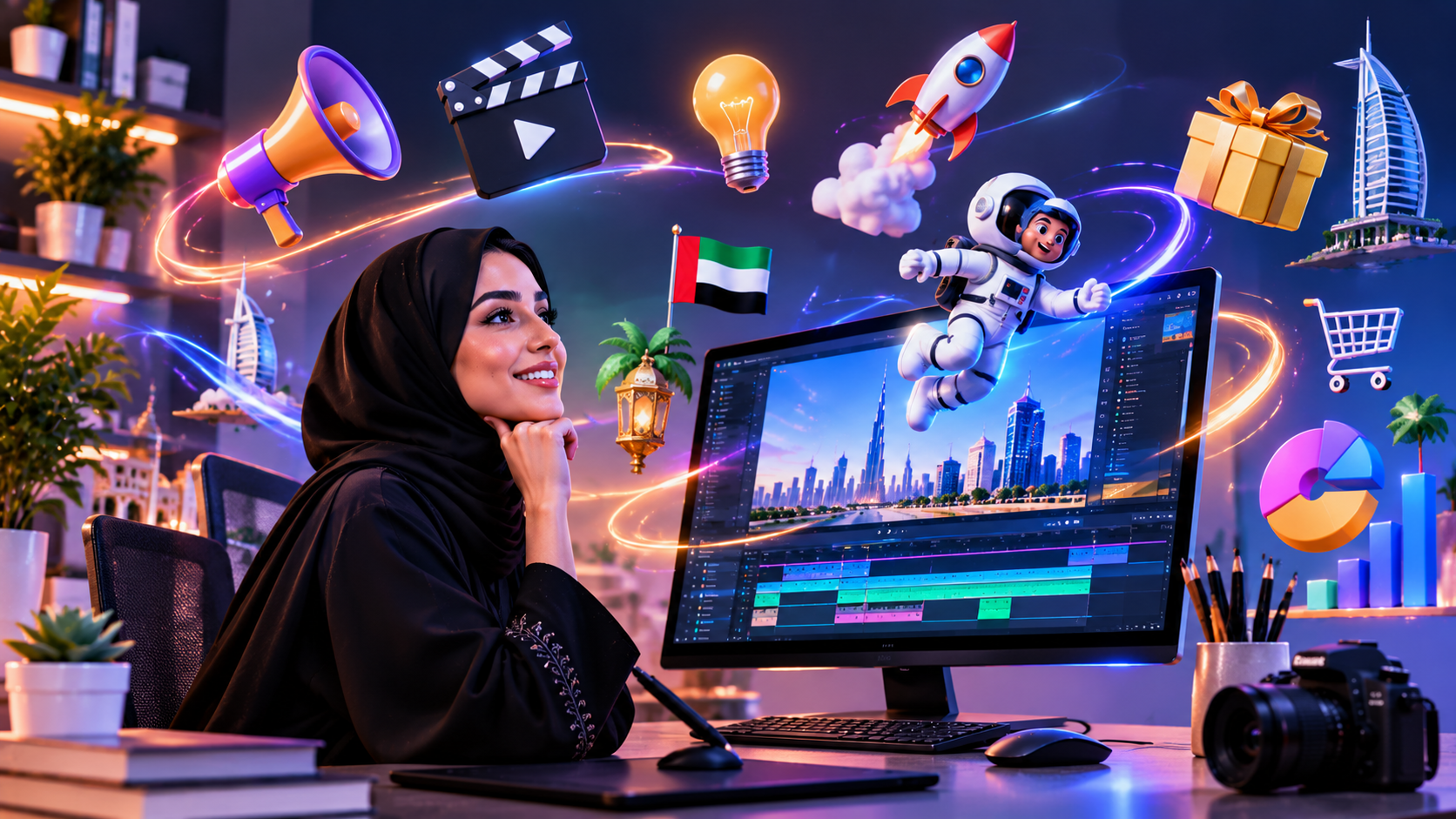
The best motion design ideas start from a job, not a style: stop the scroll, explain a product, make a logo memorable, turn numbers into a story or mark a season. Below are 30 motion design ideas sorted by that job, each written as a short brief you can hand to a designer or agency.
Most lists of motion ideas are made for animators building a portfolio. This one is for brands. For every idea you get what it shows, where it runs and how long it should be. After the idea bank, you will find a placement table, a guide to choosing motion, live action or AI video, a brief template and the mistakes we see most often when we make motion ads for Gulf and global brands.
In this guide
- What Makes a Good Motion Design Idea
- 30 Motion Design Ideas Sorted by Use
- Matching Each Idea to a Placement
- Motion, Live Action or AI Video?
- How to Brief a Motion Design Idea
- Mistakes That Sink Motion Ads
- Frequently Asked Questions
- Plan Your Next Motion Piece With XMA
What Makes a Good Motion Design Idea
A motion idea earns its place when movement does something a still image can't. If the frame would work just as well as a static post, animating it adds cost and time without adding meaning.
We test every idea against three questions before it goes into production:
- Does motion carry the message? Movement should reveal, compare, build or transform. A product that assembles itself explains its parts. A logo that slides in from the left explains nothing.
- Does it work with the sound off? Most feed and story views start muted, so the idea must read through type, shapes and timing alone.
- Can it scale? A good idea becomes a template: swap the product, the line or the language and you have the next variant without starting over.
Good motion also follows a few principles that UI designers and ad designers share. Use easing so things accelerate and settle like real objects. Offset elements so they arrive in a readable order. Keep one focal point per beat. And hold the final frame long enough to read, because a logo that flashes for half a second is a logo nobody saw.
30 Motion Design Ideas Sorted by Use
Each idea below is grouped by the business job it does. Steal the ones that fit your goal, then use the brief template later in this guide to turn them into a production plan.
Motion Design Ideas for Ads
1. Kinetic type hook
Big words land on the beat in the first two seconds and state the problem your viewer has: "Still editing every ad by hand?" Kinetic type is the fastest way to stop a muted scroll, and it pairs well with the openers in our list of video ad hooks sorted by the job they do. Brief it with the exact line, the pace and the font.
2. Before and after wipe
A masked wipe slides across the frame and turns the "before" state into the "after": a cluttered desk into a tidy one, dull skin into glowing skin, an empty calendar into a booked one. The wipe itself becomes the proof moment. Keep both states on screen long enough to compare.
3. Offer countdown
Animated numbers count down to the end of a sale or a launch date, with the product rotating beside them. It works for limited drops and seasonal events. Keep the countdown honest: the date on screen must match the real offer end date.
4. Animated review card
A real customer review types itself onto a card, star icons fill in, and the product slides in behind it. This turns social proof into a feed-native ad without a filming day. Only use reviews you have permission to quote, word for word.
5. Feature callouts on live footage
Tracked labels and lines point at parts of a product as it moves in real footage: the zip, the stitching, the sensor. This hybrid of live action and motion graphics shows detail while keeping real texture. Brief it with the three features that matter most and the shot they appear in.
6. Three reasons list build
Three numbered cards stack one after another, each with a short reason to buy and an icon. It is simple, testable and easy to version: swap one reason and you have a new variant for creative testing. Hold each card for about two seconds.
Product Motion Design Ideas
7. Exploded view
The product separates into its parts in mid-air, each part labeled, then snaps back together. It is the clearest way to show what is inside headphones, a bottle, a device or a piece of furniture. For more scenarios by product type, see these 3D product animation examples shot by shot.
8. Ingredient orbit
Ingredients or notes circle the product: botanicals around a serum, oud, rose and amber around a perfume bottle, fruit around a drink can. The orbit makes an abstract list feel tangible. Keep it to three or four elements so each one reads.
9. Turntable with material reveal
The product rotates 360 degrees on a clean set while light sweeps across it, then the camera pushes in to a material close-up: brushed metal, glass, leather grain. It is ideal for product pages and catalog ads where shoppers need every angle.
10. Unboxing in motion
The box lid lifts, items float out and settle into a flat lay, each with a one-word label. It shows exactly what the customer gets and works well for bundles, gift sets and subscription boxes. End on the full set with the offer line.
11. How it works cross-section
The product turns transparent or splits in half to show the mechanism working inside: water flowing through a filter, heat moving through a pan, a pump dispensing. This is where motion beats a camera, because you can show what no lens can see.
Logo and Brand Identity Motion Ideas
12. Logo built from brand shapes
The logo assembles from the shapes, lines or pattern in your identity, so the animation explains where the mark comes from. Plan it while the identity is being designed, a step covered in our brand identity design process, so the motion feels native rather than bolted on.
13. Sonic logo sting
A two to three second end card where the logo animation syncs to a short audio mark. Repeated at the end of every ad, it trains recall through sound and sight together. Make a silent version too, because many views never turn the sound on.
14. Brand pattern loop
A seamless loop of your brand pattern or texture moving slowly, used behind text in ads, on website heroes, in event screens and in story backgrounds. One loop can serve dozens of placements. Keep the motion slow so text on top stays readable.
15. Bilingual logo transition
The English wordmark morphs into the Arabic wordmark, or the two build together from shared strokes. For brands in the UAE and wider GCC this is a signature move that shows both audiences they belong. Have both versions designed as a pair before animating.
16. Motion toolkit for every video
Lower thirds, title cards, transitions, end cards and caption styles, built once as templates. Every future video then looks like the same brand, even when different editors make it. This is the work our motion graphics and CGI ad team sets up first for brands that publish weekly.
Data and Explainer Motion Ideas
17. Animated stat reveal
A number counts up while a chart bar or ring fills beside it: delivery time, customers served, years in business. Use only figures you can stand behind and keep one number per beat. Three animated stats in a row make a strong credibility ad.
18. Process in three icons
Three icons connected by a moving line show how your service works: book, we create, you launch. It answers the "how does this work?" question in about ten seconds and fits at the end of a longer ad or on a landing page.
19. Animated coverage map
A route draws itself across a map to show where you deliver, operate or ship: across the Emirates, the GCC or globally. Pins pop in city by city. It is a fast way to make reach feel concrete for logistics, retail and service brands.
20. Forty-five second explainer
A short animated explainer with a problem, the solution and three steps, voiced or captioned. It is the right format when your product is a service, an app or something abstract. Our list of explainer video examples sorted by style shows which style suits which product.
UI and App Motion Design Ideas
21. App walkthrough with zoomed taps
A phone mockup shows the app while the camera zooms into each tap, with a short label for each step. It sells the experience without a long tutorial. Keep it to the three screens that show the main benefit.
22. Micro-interaction loop
A short loop of a button press, a toggle, a card flip or a progress bar completing. On a website hero or landing page it hints that the product feels good to use. Keep loops light so they don't slow the page.
23. What's new feature clip
A ten to fifteen second clip that shows one new feature with a before and after state. Ship one per release for social, email and in-app announcements. A consistent template makes each release faster to produce.
24. Screen transition reel
Several key screens flow into each other with matched transitions, cut to music. It is a strong opener for app store videos and launch ads because it shows breadth fast. Follow it with one slow, detailed feature so the viewer has something to remember.
Social Media Motion Ideas
25. Carousel turned into a story
Take your best performing carousel and animate it into a 9:16 story: each slide becomes a beat, with text building on screen. It recycles proven messaging into a new format. If you are still defining what counts as feed-native, our sibling guide on what social video is covers the formats.
26. Trend template with brand type
Use a trending structure, such as a "POV" setup or a list reveal, and rebuild it with your fonts, colors and product. Motion lets you join the trend in a day without filming. Swap the trend quickly once it fades.
27. Seamless loop for pins and stories
A five to ten second loop that never shows a cut: steam rising from coffee, a product rotating, petals falling past a bottle. Loops reward replays and suit inspiration platforms. See our Pinterest video ad best practices for how loops fit that platform.
Ramadan, Eid and GCC Seasonal Motion Ideas
28. Ramadan lantern product reveal
A lantern glows to life in a night palette, its light falls on the product, and a short greeting builds in Arabic and English. Pace it slower than usual ads to match the mood of the month. Gifting categories such as perfume and oud brands can version it for iftar gifting and suhoor-time stories.
29. Eid greeting in two languages
A crescent or geometric pattern draws itself, the greeting appears in Arabic then English, and the logo closes the card. Make a 9:16 version for stories, a 1:1 version for feeds and a 16:9 version for screens. Respectful, simple and quick to approve.
30. National Day and White Friday sale motion
For UAE National Day on 2 December, build type and shapes in the flag colors with a short message of pride, keeping the flag itself accurate and used respectfully. For November sale season, a kinetic offer card with a countdown works across categories. Plan both early, because seasonal slots fill fast.
Matching Each Idea to a Placement
An idea only works if it is built for where it runs. A 16:9 explainer cropped into a story loses its text, and a 9:16 hook stretched onto a website hero looks like an afterthought. Check the current specs, such as the TikTok video ad specifications and YouTube's guide to resolution and aspect ratios, before you lock a format.
The table below maps the ideas above to the main placements, with the length ranges we work to.
Design for the tallest frame first. Keep text and logos inside the central safe area so platform buttons and captions don't cover them, then adapt outward to 4:5, 1:1 and 16:9. Building all ratios in one project from the start is much faster than re-animating later.
Motion, Live Action or AI Video?
Motion design is not always the answer. Sometimes the job needs a real person, a real texture or a large batch of variants by Friday. Here is how we decide.
The strongest ads often mix routes. A real creator talks to camera, motion graphics label the product features, and an AI-generated scene sets the location. Our motion team works next to our live action and AI video teams, so the call is made per scene, not per project.
Be honest about where motion loses. Food, fabric and skin rarely look as good animated as they do on camera. And a fully animated ad can feel like a brand talking at you, so for direct-response campaigns we usually test motion against a live action or UGC version rather than assuming it wins.
How to Brief a Motion Design Idea
A tight brief saves more time than any tool. Follow these steps for any idea in this list:
- Pick one job. Write the single outcome: stop the scroll, explain the product, launch the season.
- Choose the idea. Select one concept from the bank above and note why it fits the job.
- Write the words first. Draft the on-screen text and any voiceover before anyone designs a frame. Fewer words animate better.
- Gather brand assets. Send logo files, fonts, colors, product images or 3D files and any existing motion rules.
- Set formats and lengths. List every placement, aspect ratio and length you need, using the placement table.
- Approve a storyboard. Review key frames and timing before full animation. We often use AI to draft storyboard frames quickly, then our designers refine them.
- Review in two rounds. Give consolidated feedback on a first cut, then on the final. Scattered notes from several people slow every project.
Here is the one-page brief we ask clients to fill in, with an example for idea 7.
For Arabic versions, plan right-to-left layouts from the start. Text that slides in from the left in English often needs to enter from the right in Arabic, and Arabic type needs more line height than most Latin fonts.
Mistakes That Sink Motion Ads
Most motion pieces that underperform fail for the same handful of reasons. Watch for these before you approve a cut:
- Too many words per beat. If a viewer can't read the text twice in the time it is on screen, cut it.
- Motion for its own sake. Every move should reveal, compare or build. Spinning elements that mean nothing pull attention away from the message.
- No plan for sound off. If the story only makes sense with voiceover, add captions or rewrite the visuals.
- A late logo and a late product. Show the product or the brand early. Viewers who leave in the first seconds should still know who the ad was from.
- One ratio cropped into all others. Text cut off at the edges of a story looks careless and costs clicks.
- Ignoring reduced motion on websites. Some visitors turn off animation in their device settings. Website loops should respect that setting and pause.
- Every variant made from scratch. Without a template system, the tenth version costs as much effort as the first.
Frequently Asked Questions
What is the easiest motion design idea to start with?
A kinetic type hook or an animated review card. Both need only your brand fonts, colors, a strong line of text and a product image, so they are quick to produce and easy to test. Once you see which message wins, turn it into a template and build more ambitious ideas, such as an exploded view or a bilingual logo transition, around the winning line.
How long should a motion design ad be?
It depends on the placement. For Reels, TikTok and Shorts we usually work between 6 and 20 seconds, for feed ads between 6 and 15 seconds, and for YouTube explainers up to about 45 seconds. Logo stings run 2 to 4 seconds. These are our working ranges, not platform rules, so test a short and a longer cut and let the results decide.
What is the difference between motion design and motion graphics?
People use the terms almost interchangeably. Motion graphics usually means animated graphic elements such as type, shapes, icons and charts. Motion design is the wider discipline that also covers interface motion, brand motion systems and how movement behaves across a product or campaign. For a brand, both describe the same practical result: designed elements that move with purpose.
Can AI create motion design for ads?
AI can draft storyboard frames, generate background scenes, suggest timing and speed up versioning. It still struggles with exact brand fonts, accurate logos and precise Arabic type, which is why we keep a human motion designer in charge of the final frames. The best results come from AI for speed and exploration, and people for brand accuracy and taste.
How do I adapt motion design ideas for Arabic audiences?
Design the Arabic version as its own layout rather than translating text into the English frames. Plan right-to-left movement, allow more line height for Arabic type, and use a font pair that works in both scripts. Check cultural details such as imagery, colors and seasonal timing for Ramadan, Eid and National Day, and have a native speaker review every frame before launch.
How long does a motion design project take?
A simple kinetic type ad or review card can move from approved brief to final files within days. A product exploded view, an explainer or a full brand motion toolkit takes longer because it needs a storyboard, asset preparation and two review rounds. The biggest time savers are a clear brief, assets supplied up front and consolidated feedback from one decision maker.
Plan Your Next Motion Piece With XMA
The right motion idea is the one that does a clear job in the placement where it will run. Pick two or three ideas from this bank, write the words first and brief them with the template above, and you will get better work faster from any team.
If you want help choosing, we make motion graphics, CGI and AI-assisted ads for brands in Dubai, the GCC and worldwide, in English and Arabic. Book a call with our team and tell us your product and your next campaign date. We will suggest the motion design ideas we would build first and send you a quote scoped to your formats and languages.